Spin up. Code on. Zap zap.
Define processes, containers, env vars, and one-off tasks in one zap.yaml. Start it all with `zap up`.
1. Install
Install the CLI (built on PM2 + Docker).
npm install --global pm2 zapper-cli
2. Configure
Check in a single zap.yaml for your whole stack.
project: myappenv_files: [.env.base, .env]native:frontend:repo: myorg/myapp-frontendcmd: pnpm devcwd: ./frontendenv: [API_KEY]backend:repo: myorg/myapp-backendcmd: python main.pycwd: ./backendenv: [API_KEY, DB_PASS]depends_on: [database]docker:database:image: postgres:15ports: [5432:5432]env: [POSTGRES_PASSWORD]tasks:sync:cmds:- cd frontend; pnpm install- cd backend; poetry install- cd backend; poetry run alembic upgrade head
3. Run
Start everything (or just one service), then tail logs when you need them.
zap clone # clone all reposzap task sync # run taskszap up # start everythingzap down # stop everythingzap restart # restart allzap status # check what's runningzap up --service frontend # start specific servicezap logs --service backend # view logs for a service
What you stop doing
- - 8 terminal tabs to babysit
- - Startup order you forget every time
- - Random scripts + docker-compose sprawl
- - Secrets leaking into the wrong process
- - One `zap.yaml` checked into git
- - `zap up` starts everything (in order)
- - `zap logs` when you need it, not forever
- - Env vars whitelisted per service
How it works
Declare your stack
Processes, containers, env vars, and tasks live in a single `zap.yaml`.
Start everything predictably
Run `zap up`. Dependencies start first. Logs keep running even if your terminal dies.
Operate from your editor
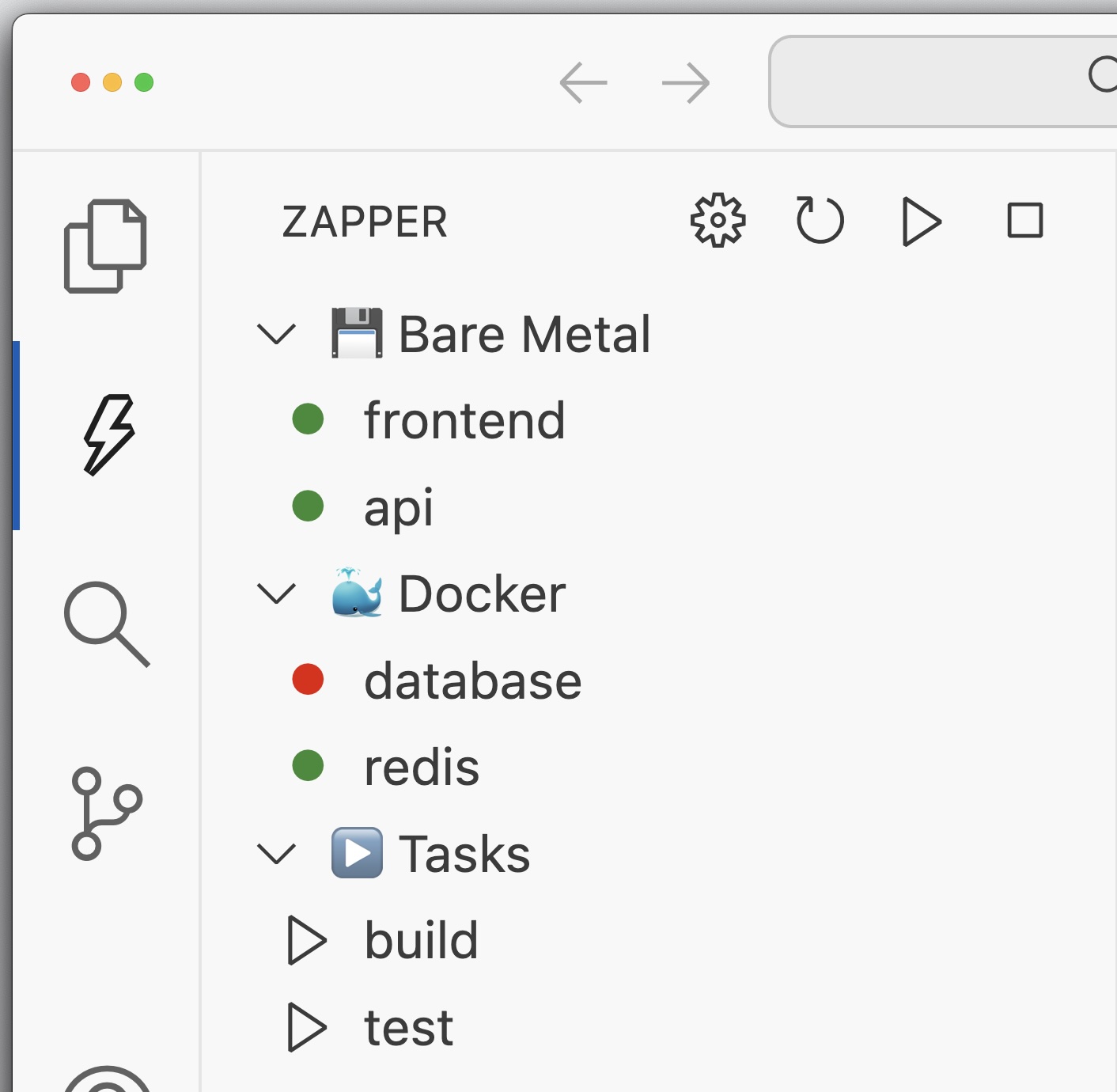
Use the VS Code/Cursor extension to start/stop services and tail logs.
Extension for VS Code & Cursor
Manage your Zapper projects directly from your IDE. Start, stop, and monitor your services with a beautiful interface that integrates seamlessly with your development workflow.
Features
One file, entire stack 🗂️
Declare processes, containers, env files, and tasks in a single `zap.yaml`.
Zero mental overhead 🧠
Come back months later: `zap up` and you're running. No remembering ports or order.
Detached logs 🧾
Built on PM2 so logs persist even if your terminal/editor crashes.
Secure by default 🔐
Whitelist which env vars each service can see. Secrets stay out of services that don't need them. No more accidental leakage.
Dependencies 🔗
Start services in the right order with `depends_on`. Works great for multi-repo stacks.
Tasks 🧰
Define one-off commands with parameters and pass-through args: `zap task seed`.